
Side Imaging vs. Down Imaging: Which Do You Actually Need?
Reggie Thompson · July 25, 2026 · 5 min read
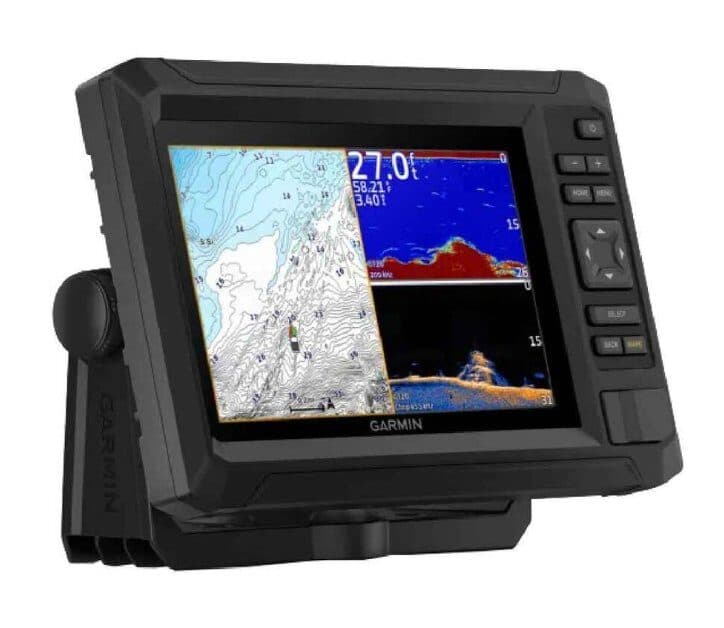
When I started digging into fish finders seriously, one of the first things I hit was the imaging terminology wall. Standard sonar, CHIRP sonar, Down Imaging, Side Imaging, SideVü, ClearVü, 2D sonar. Every brand uses slightly different names for overlapping concepts, and the spec sheets make it harder to understand, not easier.
The question I kept asking: what's the actual difference between Down Imaging and Side Imaging, and is it worth the extra money?
The short answer is that they do genuinely different things. Which one you need depends entirely on how you fish.
Standard Sonar: The Baseline
Before explaining DI and SI, it helps to have standard sonar clear in your head.
Standard sonar sends a cone of sound straight down from the transducer. Everything inside that cone that reflects signal shows up on screen as depth and returns. Fish appear as arches. Bottom appears as a line. Depth is accurate. It's been the core technology in fish finders for decades.
Standard sonar is fast and good at telling you depth, relative fish position (how far off the bottom), and bottom composition (hard vs. soft). What it's not great at is visual detail. You know something is at 15 feet, but not exactly what it is.
Down Imaging: What It Actually Does
Down Imaging (Humminbird's term — Garmin calls it ClearVü, Lowrance calls it DownScan) uses a very thin, fan-shaped beam instead of a cone. That beam is still pointed straight down, but it's extremely narrow front-to-back, which means the return is much higher resolution.
The result is a picture that looks almost photographic. Instead of seeing "something at 15 feet," you see the shape of a laydown with branches, a pile of rocks with definition, a dock piling with baitfish hovering next to it.
Down Imaging is genuinely better than standard sonar at showing you what's below the boat. The tradeoff is that it doesn't produce arch returns the same way — you're reading images, not arches. Most DI units show standard sonar and DI simultaneously on a split screen, which is how most experienced anglers use it.
Where DI earns its money:
- Fishing structure (timber, brush piles, docks)
- Differentiating baitfish from debris
- Seeing exactly how fish are positioned on structure before you make a cast
Where standard sonar still wins:
- Fast depth reading
- Tracking individual fish clearly
- General water column visibility while covering water
Side Imaging: What It Actually Does
Side Imaging (also Humminbird's term — Garmin calls it SideVü, Lowrance calls it StructureScan) doesn't look down. It looks sideways, to both sides of the boat, at a shallow angle.
The coverage is the part that changes your fishing. A side imaging unit on a boat running down a creek channel isn't just seeing 10 feet on either side — it's seeing 50-75 feet or more to each side, depending on depth. The picture it paints is a wide, 180-degree view of the area around you as you pass.
That view is what lets anglers find structure without covering every inch of water with the boat. You can run a bank at trolling speed, watch the SI returns roll by, and spot a submerged brush pile 60 feet to your right — then motor over and fish it. Without SI, you'd either need to get lucky driving directly over it with standard sonar or already know it was there.
Where SI earns its money:
- Finding new structure on unfamiliar water
- Locating submerged timber, rock piles, channel ledges
- Understanding the layout of a flat or a point before fishing it
What SI doesn't do well:
- Showing you fish directly under the boat
- Working in very shallow water (less than 5-6 feet tends to produce poor SI returns)
- Moving slowly — SI works best when you're covering water
The Honest Comparison
| Feature | Down Imaging | Side Imaging |
|---|---|---|
| View angle | Straight down | To both sides |
| Coverage width | Directly below | 50-150+ ft per side |
| Best for | Structure detail under boat | Finding structure across wide area |
| Works well moving | Slow to moderate | Moderate to fast |
| Works in shallow water | Yes | Less reliable |
| Shows fish arches | Not as cleanly as standard | Not reliably |
| Common price premium | ~$50-100 over standard | ~$100-200 over DI |
Which One Do You Need?
Buy Down Imaging if: You fish a lake you know well and you're looking for better visual detail of specific structure you already fish. You're a bass angler fishing timber, dock fields, or brush piles. You want better images of what's directly below you but you don't need to survey wide areas.
Buy Side Imaging if: You fish unfamiliar water regularly, you spend time looking for new spots rather than fishing known spots, or you're a serious tournament or avid angler who wants to understand water quickly. Side Imaging is a prospecting tool before it's a fishing tool.
The important note on "both": Most units that include Side Imaging also include Down Imaging. Humminbird's naming makes this explicit — the Helix 5 CHIRP SI GPS G2 includes both. If you're buying an SI unit, assume DI is included. If you're buying a DI unit, it does not include SI.
What This Means for Buying
For most freshwater anglers fishing familiar water — bass on a home lake, walleye on lakes you've fished for years — Down Imaging is the more immediately useful upgrade from standard sonar. You get better visual detail of water you already know.
For anglers who are constantly on new water, who tournament fish or do scouting runs, or who fish larger reservoirs with lots of structure to find, Side Imaging is what will actually change how you fish.
The Humminbird Helix 5 SI GPS G2 is the standard recommendation for anglers who want SI without going deep into the budget. The Garmin Echomap UHD series covers the same territory with SideVü included. Both run in the $400-600 range depending on screen size.
If you're not ready to spend that, a DI unit in the sub-$300 range is a meaningful upgrade over standard sonar and a reasonable first step.